



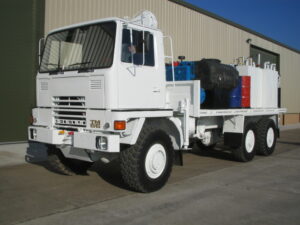
Lube / Service Trucks – Current stock
You can view selected items using the button above
You can perform multiple searches and selections, our site will keep track and collate all the items into a single email. Pressing clear on any page will erase the collective selections.
You can click on an item as it drops down or press [Search] to display all items matching you search criteria
Help:
|
1
|
2
|
3
|
4
|



Help
- We have augmented our site with some helpful audio assistance using the icons below.
- Use the
 icon to play the audio help files. The
  stops the audio.
Add to quote
- Click the check box to add a selection to your list of items you want a quote for, the item will be highlighted and - ADDED will be displayed
- You can change pages within the site and even close the browser, our site will remember your selection as long as you do not clear the cache.
- You can remove an item at any time by unchecking it or selecting the View Selected Items button (see below)
Back Button
- This button will take you to the previous page viewed
Send Request Button
- This button will open your default mail software *Outlook, Gmail etc.) We do not ask for, or store personal information via our website
- It will populate the Subject and body of the email with the items you have selected and want a quote on
- After opening, all you have to do is press
SEND
View Selected Items Button
- This button will show the number of items selected on any given page it is shown
- Pressing the button will open or close a drop down list of items you currently have selected
- You can delete one or more items by clicking the red X next to each item
Clear Button
- This button will clear all the current items selected for a quote
Search
- Visitors can search by entering the item reference number or the description of the item being sought
- As you type our site will start looking for matches and display them in a drop down menu
- Visitors can click on an item as it drops down or press [Search] or press the [RETURN] key to display all items matching the search criteria
- Useful hint: If you search for MOD it will bring up every item of stock on one scrollable page - DO NOT attempt to select everything, there is a maximum of 25 items allowed on any given search
- If you cannot find what you are looking for then please feel free to call us on +44 (0)1302-954007 and ask one of our staff who will be happy to help you.